Tuesday, August 27, 2013

From Imaginary to Real World for Real

Knowing the full process, it's time do make the part that will hold the camera stand for real.

First we need some quick measurements,so we can call it engineering instead of art:


Then some modelling:


Then proofing and fixing the model:


And finally, setting up and printing:


Two parts, two slicing methods, to see which one works better. First one without support beams and the second one with. The hollowed out back part held better shape with support beams (not being squished by gravity), but other then that, was about the same.

And of course, the final product:


Support beams removed and rough edges sanded. Now we're ready for the next plane upgrade!

Sunday, August 25, 2013

From Imaginary to Real World

So, the plane flies. Now we need to put the 3D camera stand on it!

But the stand has quite a bit of weight to it, not to mention it's not exactly a "plug and play" part for the plane.  Solution?

Make a holder for the stand for the camera :P And the easiest was to do it? Print it :D

So it's another skill we're learning here. And to learn it, let's make a simple spacer for the rods, to test the process and the scale of the printed product.

The process is "simple" ...

Step 1: design the part. In our case, we're going to use Blender.


It's free, it's powerful and (after checking some tutorials) the newer version has a 3D printing toolbox which saves some trouble. But in out case, we just used a measurement plugin to to check the distances. Once you're done, change Blender Units to Metric Units and export as .STL file.

Step 2: check the part for errors. In our case, we're going to use netfabb.


Very powerful and expensive software for 3D printer modelling and prepping, but the free version let's you do some simple editing and error checking. We fix any holes in the part, set the correct scale (turns out Blender to Metric conversion is 1 Blender Unit to 1 m not 1 mm) and export the now checked and ready .STL file.

Step 3: slice the file so the printer can print it. In our case we're going to use Slic3r.

No screenshot here, but you're not missing much, just the settings for your printer. Hope everything is calibrated and now you can get your .gcode file for the printer.

Step 4: print it. In our case we're going to use RepRapPro Mandel 3D printer and Pronterface program.


Nothing to do here, but wait and see what comes out.

And once it's done printing and you let your parts cool down, you get something like this:


Not bad for the first try. Some quick measurements and we have almost exactly what we wanted. Turns out that he melted plastic and the resolution of the printer "blurred" the part ever so slightly.

The hole was supposed to be exactly 10mm, but it came out 9.5mm. Which means the plastic in our case expands 0.25mm outside the designed boundary, which is not bad at all.

Step 5: optionally (but in our case mandatory) process the part with some sand paper or a drill.

Slightly smoothing and enlarging the hole and we have a perfect fit:


And now that we know how, let's start on the real thing! What is "the real thing"? join us next time and see for your self.

Sunday, August 11, 2013

Fourth Time in the Air

Some more flying experience, this time in the wind.

And just so, it won't always be the same, this time the panorama render was shifter for 90° (left side is the view to the front and right side is the view to the back):


And visualization of course:


And what would be a training session without bloopers? Not so educational. :P

Turns out, that you can do loops and rolls with this plane on purpose too, but you better have everything mounted on with enough strength to withstand the extra forces!

Or on your next flight, right after levelling from a loop, the battery decide to fly away in a different direction. But luckily, with no control, the plane managed to find the only bush near and far and landed "softly":


Couple drops of glue is a bargain for telemetry data:


Next up, more duct tape and more practice.

Sunday, August 4, 2013

Third Time in the Air

The last batch of modifications helped!

Placing the battery further behind stopped the plane from being nose heavy and improved stability quite a lot.

Well, the first try was maybe a bit too tail heavy for a change:


So after a quick couple of laps the plane was (perfectly) landed, battery readjusted and put in the air again:


Around 9 minutes of flight time (2 minutes first round and 7 minutes second round) with a total of 7.3 Km of distance travelled all together.

And now: practice, practice, practice, collect some sensor readings for the autopilot and practice. Before the stereo camera mount gets mounted! :P

Saturday, August 3, 2013

AVI@TOR MK4 SP2

More experiences brings more knowledge, and more knowledge brings more improvements.

Second service pack for the plane!

First to fix the nose heavy problem, the battery bay was extended towards the tail:


First, cut out and extend the battery bay. But look, now we can see inside the plane. Well, that's bad. No where to stick the battery to.


So we make a plastic holder from cut out plastic strips from various plastic packages.


And after some glueing and trimming we have an extended battery bay, which allows for better weight distribution by placing battery farther back from the center of gravity.

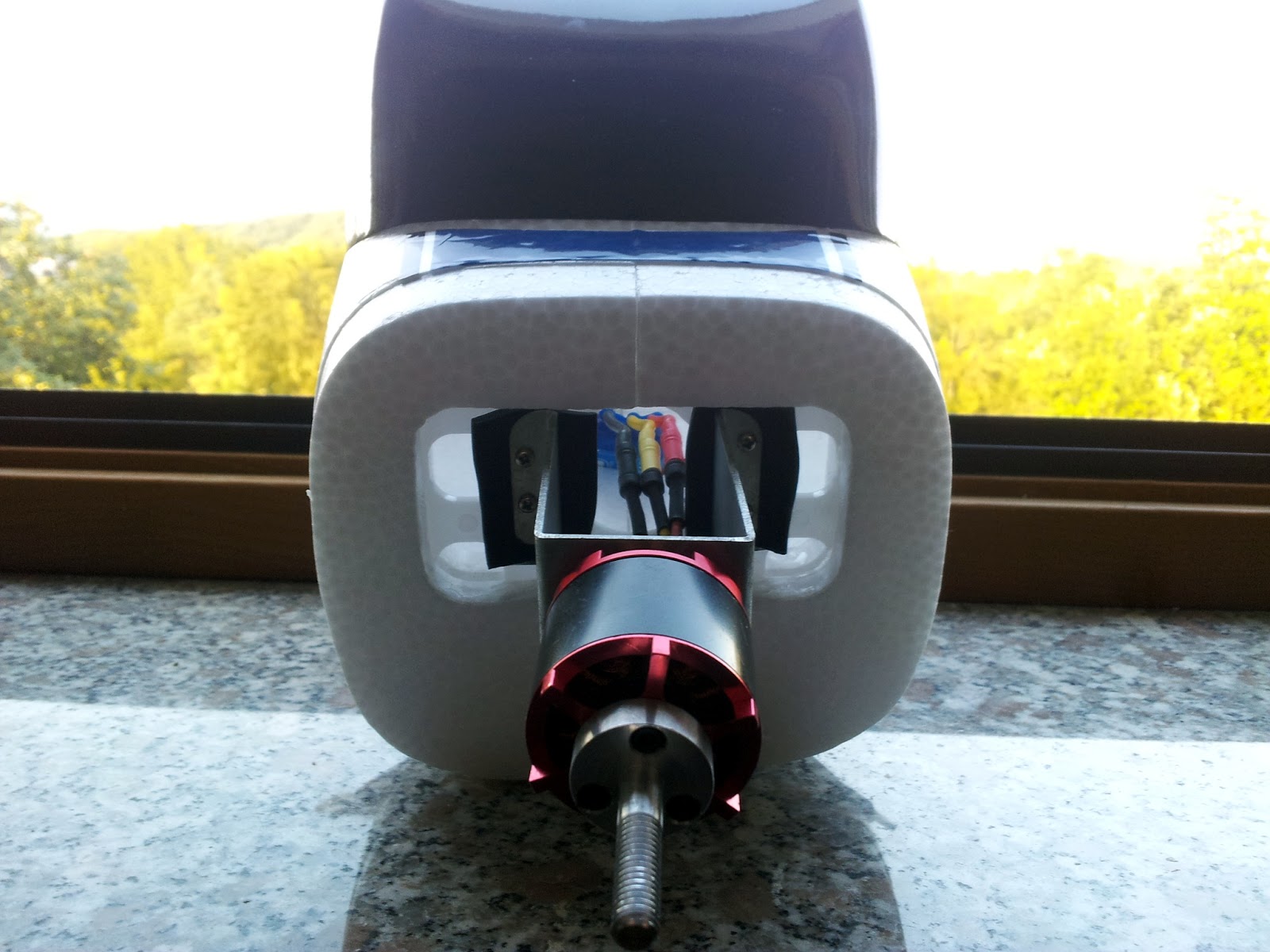
And while we were at it, let's put some silicon pads between the engine and the mount, just to see if it will reduce some vibrations.


But not before firmly glueing the plastic engine mount to the fuselage. It might have been damaged by a previous rough landing or it wasn't glued on well from the start, but it swivel up and down a bit when some force was applied to it.

Time for some more testing!

Monday, July 22, 2013

Second Flight

As the title describes, second time in the sky, trying out the new modifications.

Getting ready in the sun:


And let's jump right in to the fist flight of the day:


Pretty pictures, right? Only getting better! By the way, did anyone catch the barrel roll near the end?

The plane was quite nose heavy, which made it difficult to keep it the air, so right after take off it was decided to land at the end of first circle. Would you know, right at the end there was some more wind and for a second I didn't know if it was flying up or down, away or not. Yes, that's when the barrel roll happened.

Luckily the plane landed and after some weight redistribution and some elevator trimming was ready to try again:


Still a bit nose heavy, but much more manageable this time around.

Three laps for fun and science. And for fun, attention should be given to the last lap before landing. It takes "ages" to fly far away enough, but only seconds to fly back, causing quite a speedy landing. The answerer to this mystery is wind (flying against the wind = slow, flying with the wind = fast).

And to top it off, another pivot at the end. Turns out the landing gear takes a bit more force then expected. The first landing bent the gear in to the foam of the plane where the home made plastic mount ended and the second landing flipped over on loose gear.

Still some kinks to work out, so back to work then.

Sunday, July 21, 2013

AVI@TOR MK4 SP1

Applying the first service pack to the new plane!

First some telemetry mystery. Actually, no mystery. Part of the code for getting data from the sensors was reused from the previous iteration. Well, previous iteration ran on Android 1.6 and 2.0, and some of the stuff, like the virtual orientation sensor is now deprecated. Onwards with rotation matrices.

For one, the old sensor doesn’t translate coordinate system rotations well:


Old and new - yaw in time.


Old and new - pitch in time.


Old and new - roll in time.

It's still not perfect. The interference from the engine still distorts telemetry somewhat (clearly visible spikes when the engine turns on and off). But for the first go, this will do. The science of hand written filters and sensor fusion will have to wait another day.

But that's not all. Upon closer inspection, it was discovered, that he motor shaft (or the motor itself) is not the straightest thing in the world. To reduce the wabble a piece of paper was placed under one side of the shaft:


Not completely removing all the vibrations, but it helped somewhat.

And now for the issue of the plane flipping over on take offs and landings. Simple, switch the gear so that the two wheels are in front and the one wheel is on the back:


And as a quick bonus, use some spare parts lying around to transferee it's function as a steering wheel:


All it takes is a few thin carbon rods and joints from a retired model, and a "slightly" more powerful servo with steel cogs to move the wheel and the rudder, which won't brake if it gets tangled in grass again.

But, does it work?


And now we're ready for the second fling session!